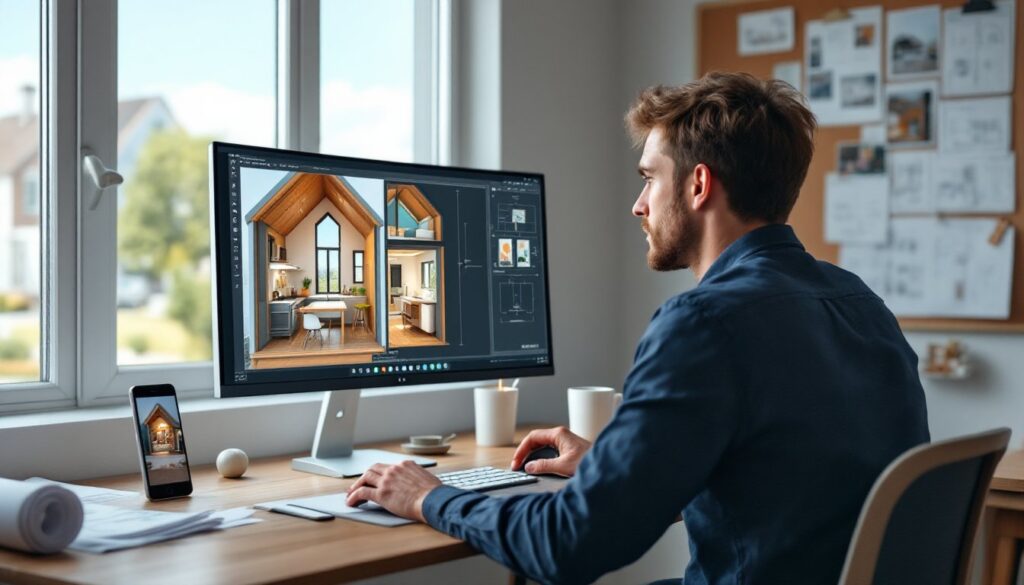
Tiny house living isn’t just a trend, it’s a practical solution for affordability, sustainability, and minimalist living. But cramming everything you need into 100–400 square feet requires precise planning. A 3D tiny house designer lets builders visualize every inch before cutting a single board, catch layout mistakes early, and communicate plans to contractors or permitting offices. Whether planning a DIY build on a trailer or a foundation model, using 3D design software saves time, money, and headaches. This guide covers the best tools, the design process, and mistakes to avoid.
Table of Contents
ToggleKey Takeaways
- A 3D tiny house designer visualizes spatial relationships, furniture layouts, and building codes before construction, catching costly mistakes early and accelerating the permitting process.
- SketchUp Free and Sweet Home 3D offer beginner-friendly, cost-effective options, while SketchUp Pro and Chief Architect provide advanced features for contractors and certified tiny house builds.
- Accurate dimensions, trailer specifications, door swing clearances, and weight calculations are critical—common design errors can make your final build incompatible with towing or building codes.
- Tiny house layouts must prioritize vertical space with lofts, multi-function furniture, and strategic storage (10–15% of floor area) since every square foot counts.
- Testing your 3D model for utility placement, window egress requirements, HVAC clearances, and build sequence prevents on-site redesigns and structural conflicts.
What Is a 3D Tiny House Designer and Why You Need One
A 3D tiny house designer is software that lets users create detailed, three-dimensional models of compact homes. Unlike 2D blueprints, 3D tools show spatial relationships, furniture clearance, ceiling heights, and sightlines, critical in spaces where every square foot counts.
These tools range from beginner-friendly drag-and-drop platforms to CAD (computer-aided design) programs used by architects. Most allow users to input exact dimensions, test furniture layouts, simulate natural light, and generate material lists. Some export files compatible with permitting offices or builders.
Why bother with 3D modeling? First, tiny houses have zero room for error. A toilet placed six inches too far forward can block a door. A loft ladder angled wrong becomes a shin hazard. Second, many jurisdictions now require engineered plans for tiny houses, especially those on wheels (THOWs). A clean 3D model speeds up the permit process. Third, if hiring out any work, a visual model clarifies expectations far better than sketches on graph paper.
For DIYers, 3D design also helps sequence construction. Seeing how walls, framing, and utilities intersect prevents costly mid-build redesigns.
Top 3D Design Software for Tiny House Planning
Best Free and Budget-Friendly Options
SketchUp Free remains the go-to for beginners. The browser-based version offers intuitive push-pull modeling, a massive library of downloadable components (windows, appliances, furniture), and enough power to design a full tiny house. The free tier limits cloud storage and advanced rendering, but for layout planning, it’s more than adequate. Expect a learning curve of a few hours.
Sweet Home 3D is open-source and runs on Windows, Mac, or Linux. It’s tailored for interior design, with a 2D floor plan view alongside real-time 3D visualization. Users drag walls, doors, and furniture from a catalog, then walk through the space. It’s less suited for structural framing but excellent for testing livability. No cost, no account required.
Floorplanner offers a free tier with basic 2D/3D tools and exports. The interface is clean, and it’s handy for quick mockups. But, high-res renders and detailed exports require a paid plan (around $15–30/month). Good for those who want simplicity without installing software.
Platforms like Houzz also feature design sketch tools and photo galleries that help visualize spatial concepts, especially for interior finishes and fixture selection.
Premium Software for Advanced Features
SketchUp Pro ($349/year) adds LayOut for construction documents, advanced rendering plugins, and offline access. If planning to submit plans for permits or communicate with contractors, Pro justifies the cost. It’s widely used in the tiny house community, so tutorials and templates are abundant.
Chief Architect ($3,000+ one-time or subscription) is professional-grade software with automatic framing, electrical and plumbing tools, and code-checking features. It’s overkill for most DIYers but invaluable if designing a certified tiny house or working with an architect. The learning curve is steep, expect weeks to become proficient.
Revit (Autodesk subscription, ~$300/month) is BIM (building information modeling) software used by architects and engineers. It tracks every material, cost, and measurement in a central database. Unless you’re a design professional or planning multiple builds, it’s excessive. That said, if you already have access through work or school, it’s incredibly powerful.
For inspiration and layout ideas, browsing modern compact home galleries can spark concepts worth modeling in 3D.
How to Design Your Tiny House in 3D: Step-by-Step Process
1. Define your constraints. Start with the trailer or foundation dimensions. For THOWs, common trailer sizes are 8.5′ × 20′ or 8.5′ × 24′. Note that road-legal width in most states is 8’6″ max without permits, and height (including the trailer deck) is typically capped at 13’6″. For foundation models, check local setback and minimum square footage requirements.
2. Set up your model. Open your software and input the floor dimensions. If using a trailer, model the wheel wells, they’ll eat into floor space and dictate furniture placement. Add walls at 2×4 or 2×6 framing (actual dimensions: 3.5″ or 5.5″ wide). Most tiny houses use 2×4 studs on 16″ or 24″ centers to save weight.
3. Rough in utilities. Place the bathroom first, it’s the least flexible space. A typical tiny house toilet-to-wall clearance is 15 inches minimum (per IRC), and you’ll need access for plumbing vents. Map your electrical panel location, water heater, and propane lines (if applicable). Running utilities through interior walls is easier than exterior chases.
4. Design the main living zones. Tiny houses usually have three: kitchen, living/sleeping, and bathroom. Use your 3D view to test clearances. Can the fridge door open without hitting the counter? Is there 36 inches of walkway in the kitchen (code minimum for accessibility)? Does the ladder to the loft interfere with the front door swing?
5. Add windows and doors. Natural light is critical in small spaces. Place windows on at least two walls for cross-ventilation. Standard egress windows (required for loft sleeping areas) must have a 5.7 sq ft opening minimum and be at least 24 inches tall. For doors, a 32-inch width is standard, but some builders go narrower (28 inches) to save space, just know that moving appliances in becomes trickier.
6. Test furniture and storage. Drop in scaled furniture models. A queen mattress is 60″ × 80″: can it fit in the loft with enough headroom (minimum 36 inches above the mattress)? Will a couch block the heating vent? Walk through the model from a first-person view if your software allows it.
7. Generate outputs. Export 2D floor plans, elevations, and material lists. If submitting for permits, include framing details, electrical diagrams, and foundation or trailer attachment specs.
Key Design Considerations for Tiny House Layouts
Vertical space is your best asset. Lofts add sleeping or storage area without expanding the footprint, but access matters. A steep ladder saves floor space: stairs with integrated storage are safer but consume 15–20 square feet. Building codes for lofts vary, some jurisdictions allow ladder-only access if the loft isn’t counted as habitable space, while others require stairs if the loft exceeds a certain square footage.
Multi-function furniture isn’t optional. Fold-down tables, murphy beds, and convertible seating are staples. Model these in 3D to ensure they don’t block doors or windows when deployed. Check clearances in both configurations.
Storage needs are always underestimated. Plan for 10–15% of your floor area as dedicated storage (closets, cabinets, under-stair cubbies). Vertical shelving and recessed niches (built into wall cavities between studs) add capacity without eating floor space. For those seeking clever small-space storage solutions, studying apartment design tactics often translates well to tiny houses.
HVAC and insulation matter more in small spaces. A poorly insulated tiny house is miserable. Model your wall and roof assemblies with realistic thickness: spray foam or rigid foam insulation is common due to high R-value per inch. For heating, a single vented propane heater (5,000–10,000 BTU) or a mini-split heat pump often suffices. Ensure your model accounts for vent clearances and combustion air supply.
Weight is critical for THOWs. A finished tiny house on a trailer can weigh 10,000–15,000 lbs. If your design exceeds your trailer’s GVWR (gross vehicle weight rating), you’re in violation of towing laws and at risk of axle failure. Use your software’s material list to estimate weight as you design.
Permits and codes can’t be ignored. Many areas treat tiny houses under RV codes (if on wheels and certified by RVIA) or require them to meet IRC Appendix Q standards (for tiny houses on foundations under 400 sq ft). Know your jurisdiction’s rules before finalizing a design. If your tiny house is intended as an ADU (accessory dwelling unit), additional setback, utility connection, and fire safety rules apply.
Common Mistakes to Avoid When Using 3D Design Tools
Ignoring actual vs. nominal dimensions. Beginners model walls with 2×4 lumber as 2 inches thick when the real dimension is 1.5 × 3.5 inches. Over a 20-foot length, those half-inches add up. Use actual dimensions or your build won’t match your model.
Skipping the trailer deck height. If designing a THOW, the trailer deck sits 2–3 feet off the ground. That eats into your total height budget. Failing to account for this means your beautiful 13-foot design becomes a 16-foot rig that can’t clear a bridge.
Forgetting door swing clearances. A door modeled closed looks fine until you simulate it opening and realize it slams into the toilet or blocks a hallway. Check every door in both open and closed positions.
Overcomplicating the roof. Tiny house roofs need to shed water and fit within height limits. Elaborate dormers or complex pitches look great in 3D but add weight, cost, and leak points. Stick with a simple gable or shed roof unless you have carpentry experience.
Not testing the build sequence. You can’t install windows after framing if your model shows windows overlapping studs. Use your 3D tool to think through construction order. Can you get the water heater through the door after the interior walls are up? Will the loft framing block access to run electrical before sheathing?
Neglecting natural light and views. A model that looks great in isolation can feel like a cave in real life. Use your software’s sun simulation (if available) to check how light enters at different times of day. Position windows to capture views and privacy.
Exporting without double-checking measurements. Always print your floor plan at scale and measure it with a ruler. Confirm that your 3D model exports match your design intent before ordering materials.
Safety gear note: When you move from digital design to actual construction, always wear safety glasses, work gloves, and hearing protection when operating saws or power tools. A well-planned 3D model prevents mistakes, but safe execution still depends on proper PPE and technique.